 CapyDo
One thing at a time.
CapyDo takes your Apple Reminders and simply shows the next thing to do on your Home Screen. Nothing to import. No lists. No pressure.


Scan to install it on your iPhone.
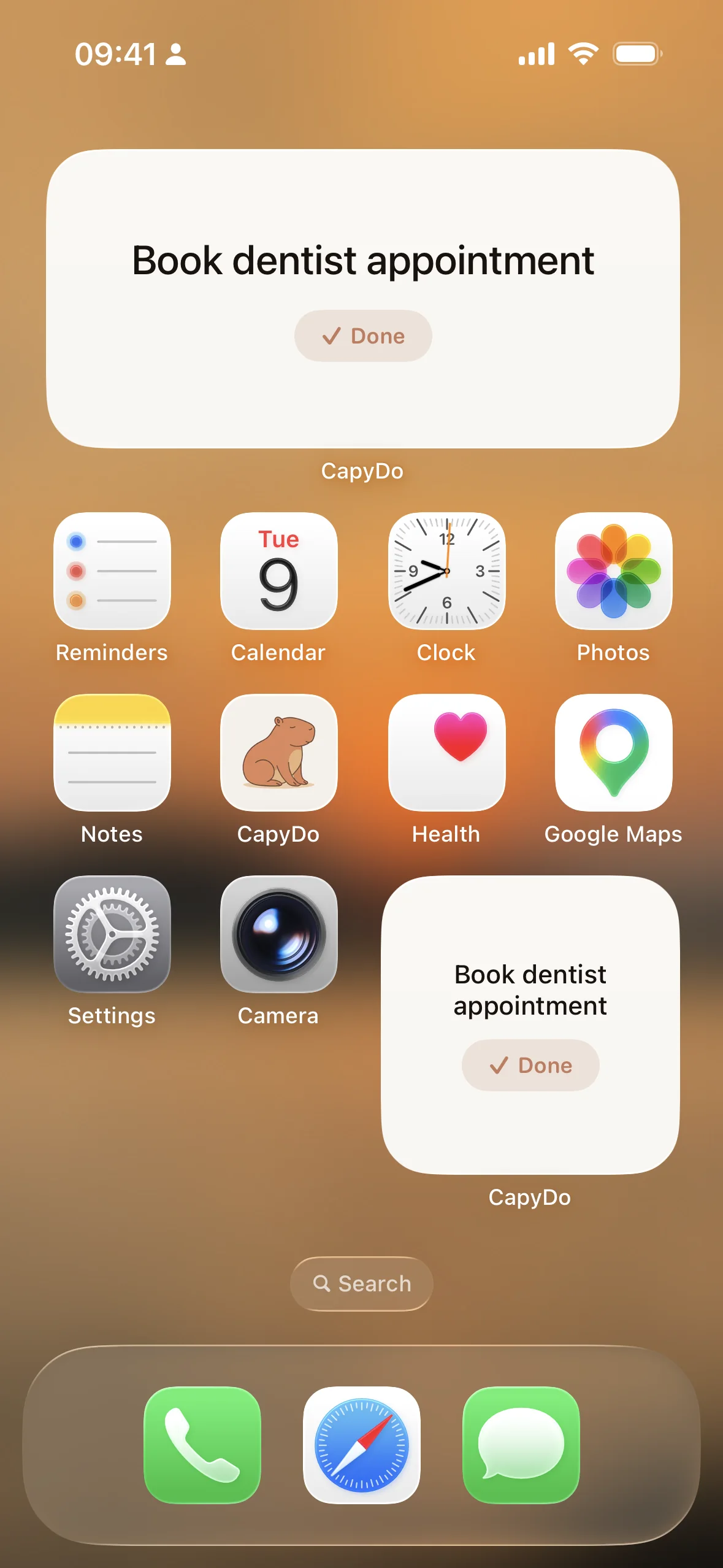

47 tasks. Zero motivation. Sound familiar?
Your to-do list was supposed to help. Now it's just another thing that stresses you out.
How CapyDo works with Apple Reminders
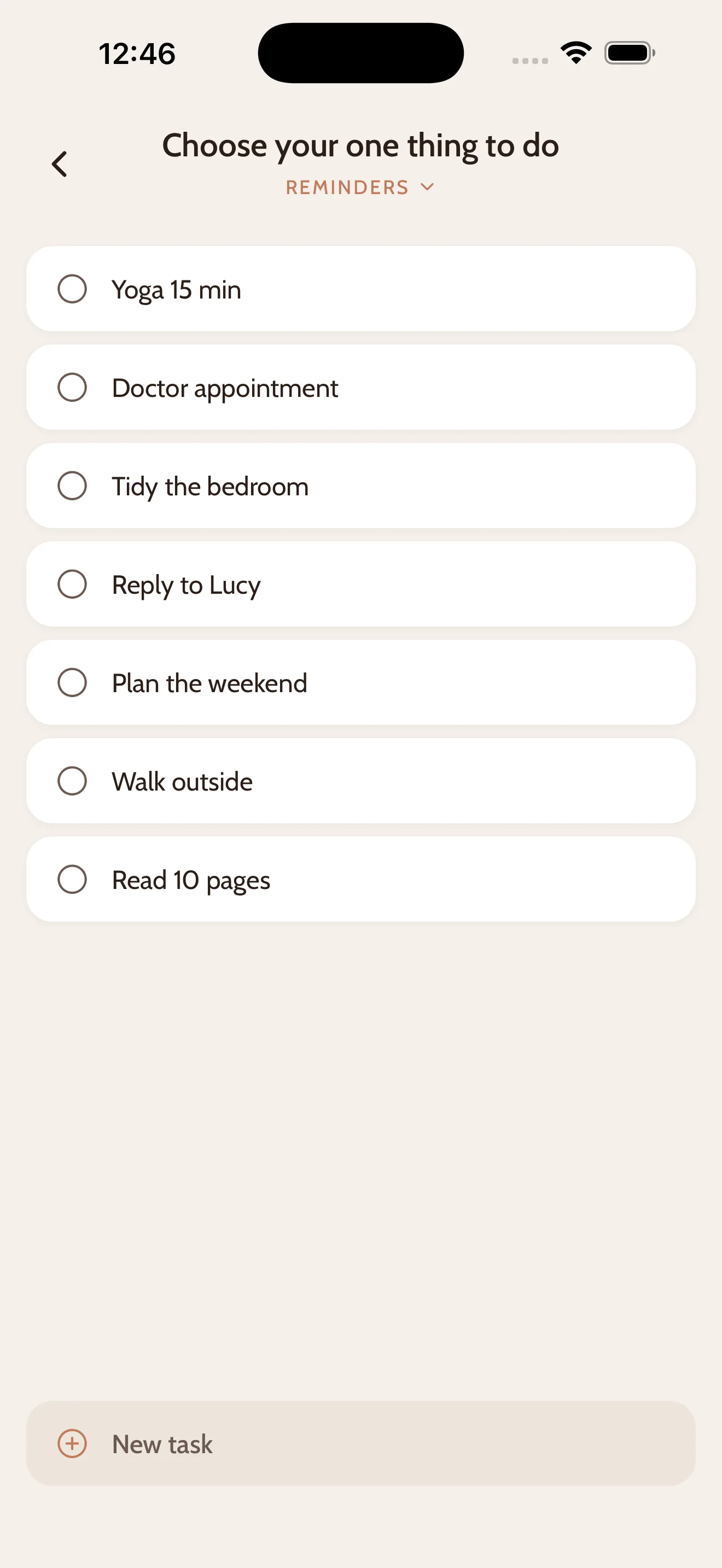
1. Pick one thing
Choose a task from your Apple Reminders. They're already there, nothing to import, no new system to learn.
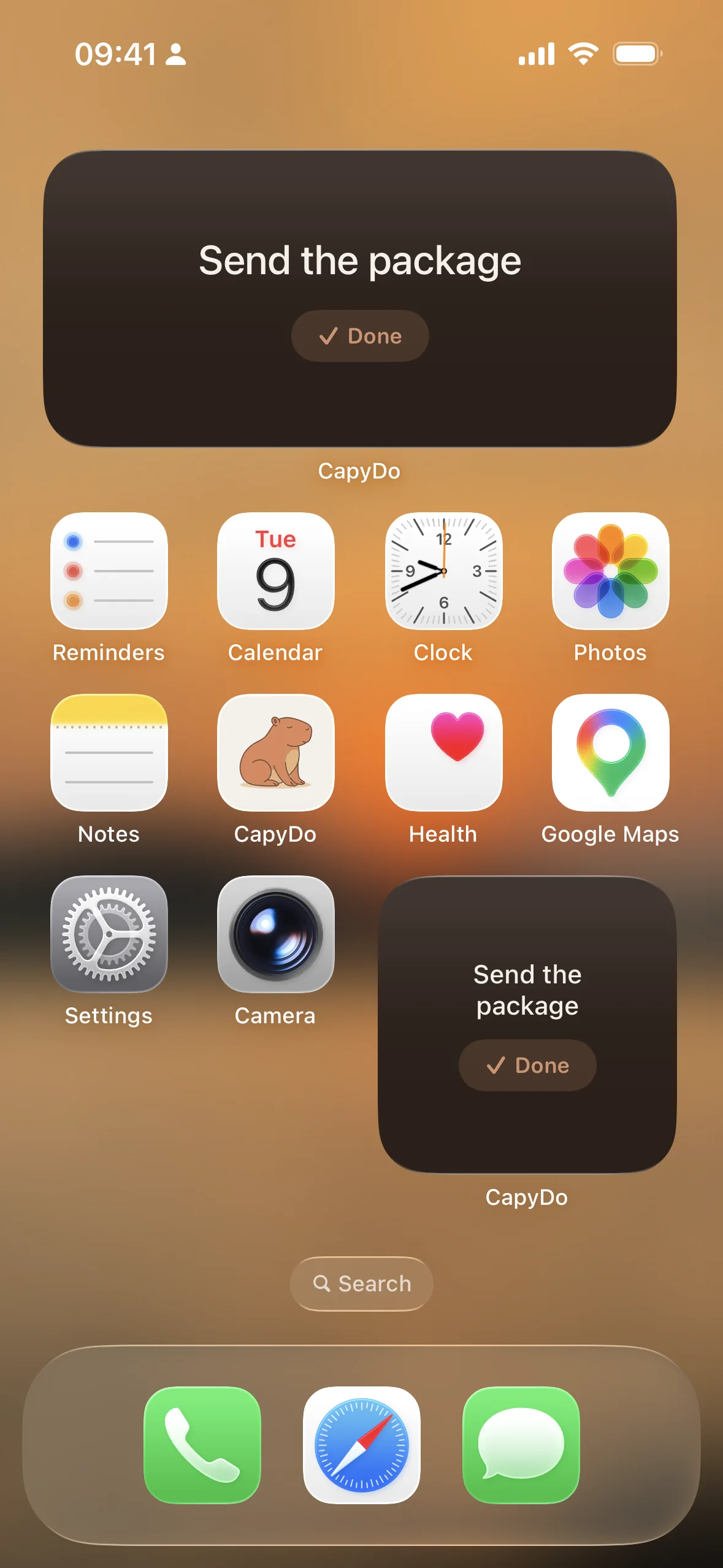
2. Keep it in sight
CapyDo puts it on your Home Screen, without showing the whole list again. Like a sticky note you can tick off.
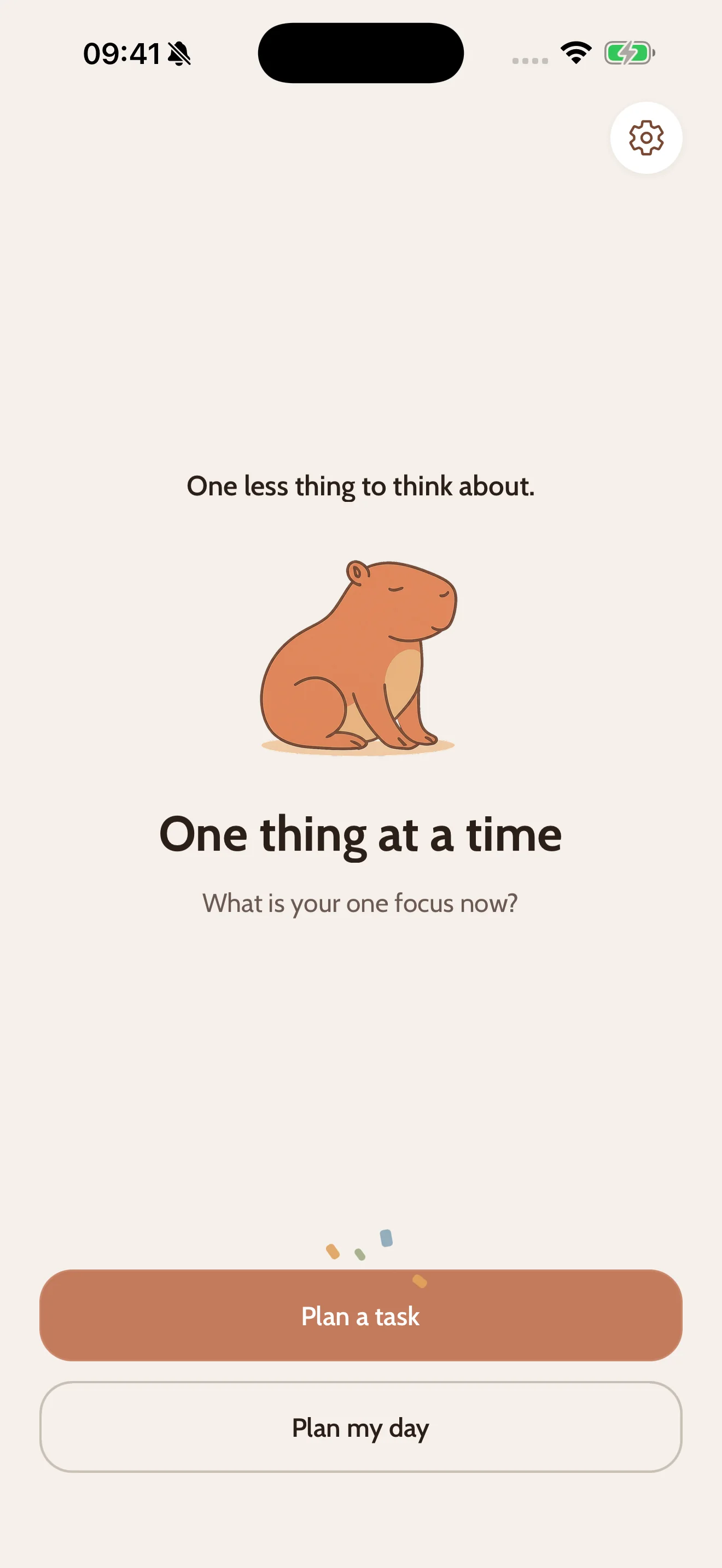
3. Done? Celebrate.
Check it off and a little confetti falls, with a kind word from your Capy. Then, and only then, the next thing.
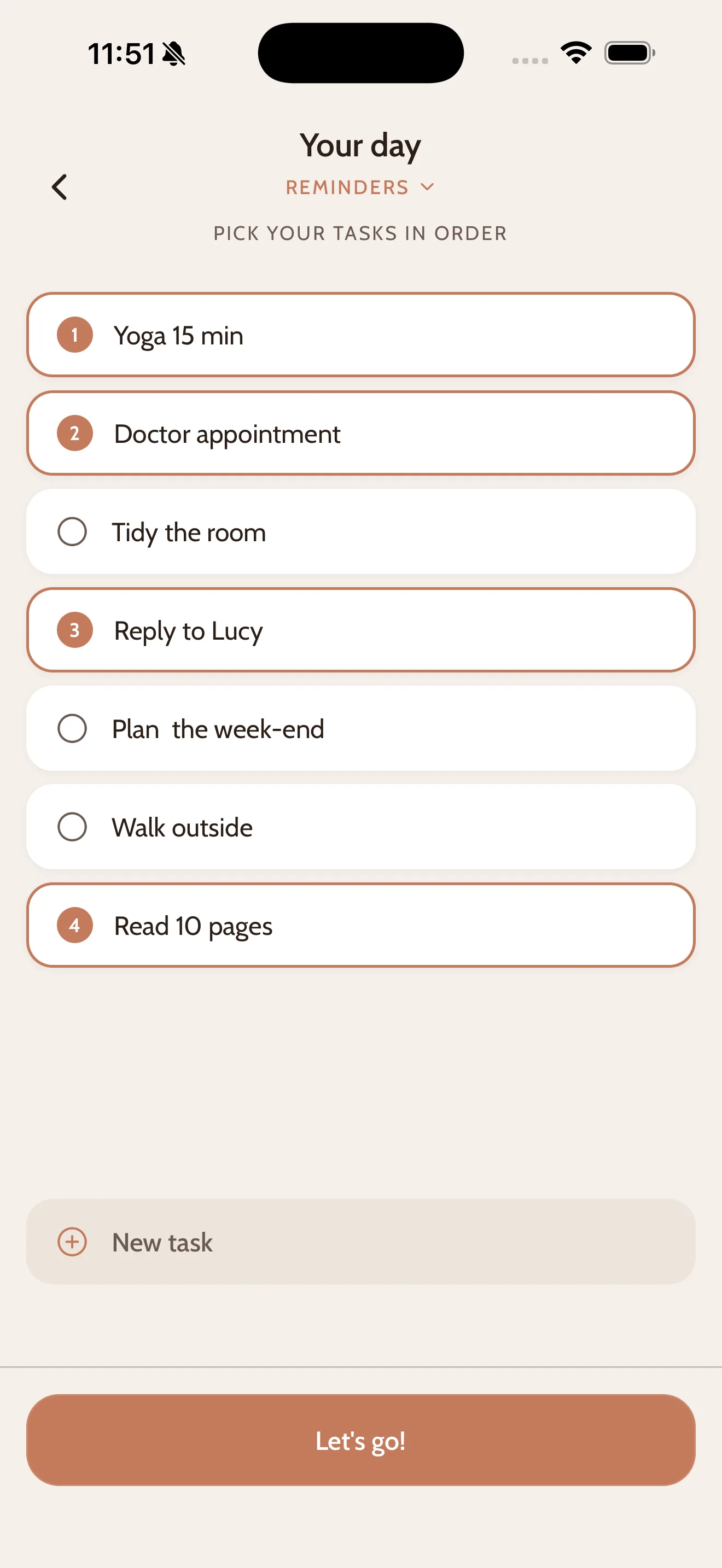
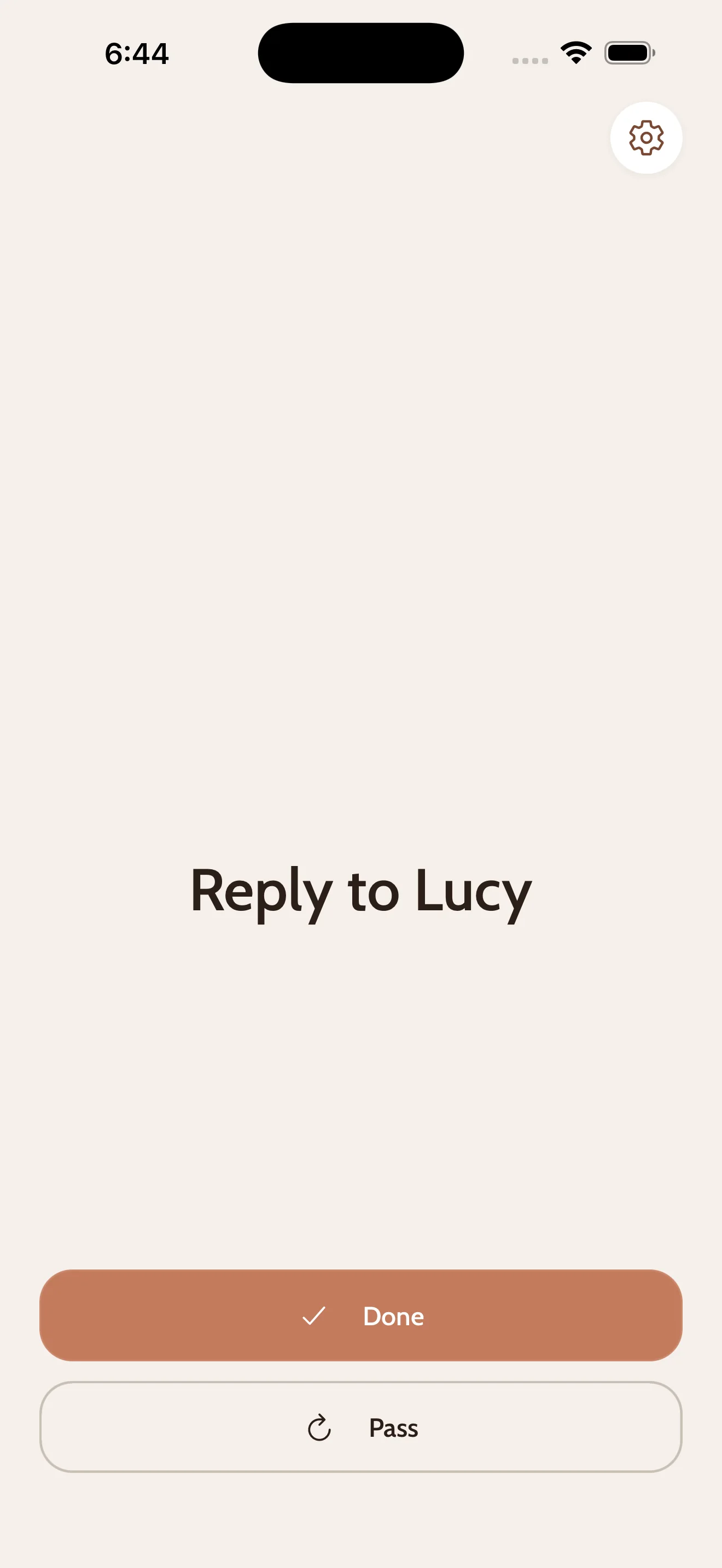
Plan your whole day. See only one task.
Pick your tasks for the day, in the order you want.
CapyDo
feeds them to you one at a time, finish one, get the next.
Skip
anything, anytime.
"5 tasks is already ambitious!"
A productivity app that tells you to take it easy. It may seem counterintuitive, but it works.

Your days could feel like this.
Free to use · No account needed
When the whole day is done, Capy takes a bath.
Nothing left to do. Rest.
A Home Screen widget with a personality
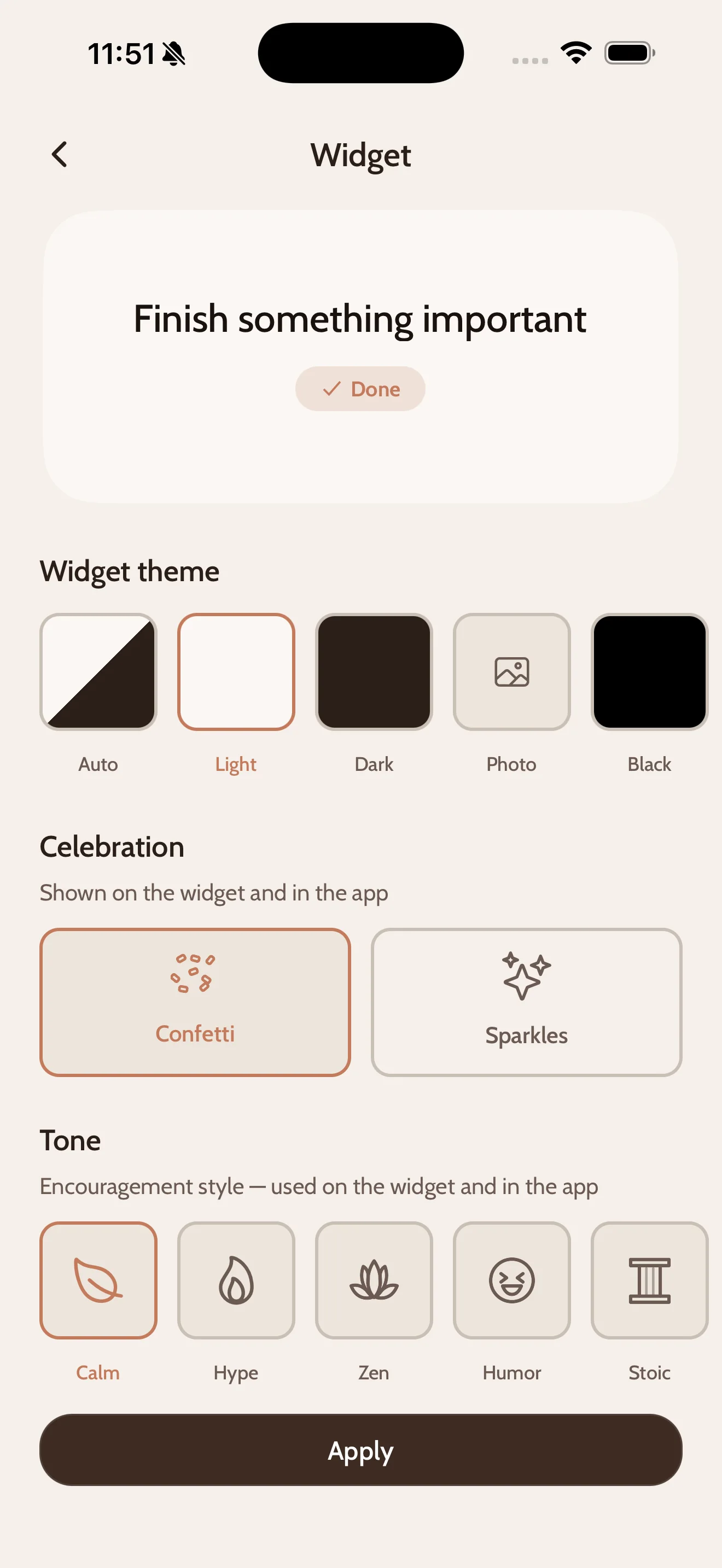
Light and dark themes, your own background photo, and five encouragement styles. Your capybara, your vibe.
"One less thing to think about."
your capybara, in Calm mode
Your tasks stay yours.
CapyDo works without an account. Download, open, you're in. Everything lives in your Apple Reminders and your iCloud, and that's where it stays. The only thing we ever see: anonymous crash reports and usage stats, to make the app better.
Free for good. Pro if it helps.
Free
- ✓ One task at a time, one per day
- ✓ Home & lock screen widgets
- ✓ Apple Reminders sync
Pro
2-week free trial- ✓ One task at a time, as many as you want
- ✓ Organize your day
- ✓ All widgets & themes
- ✓ Progress tracking
Monthly, or annual with the free trial. Or lifetime, yours forever.
2 weeks because building a habit takes time. No pressure. That's the whole point.
Is CapyDo for you?
- ✓ You have 47 tasks and the number never goes down.
- ✓ Your brain shuts down when you see your full list.
- ✓ You already use Apple Reminders and you don't want to learn another system.
- ✓ You want to see what comes next without opening an app.
- ✓ You want to finish what you planned, not plan more.
Questions people ask
CapyDo is a free iOS app that reads the Apple Reminders you already have and shows a single next task on your Home Screen. It runs on iPhone, iPad and Mac. There is no account to create and nothing to import.
Does CapyDo work with Apple Reminders? Do I have to import my tasks?
CapyDo reads the Apple Reminders you already have. There is nothing to import: your tasks stay in Reminders and in your iCloud, and you pick the one CapyDo shows you. You can add tasks by asking Siri too. Siri puts them in Reminders, so they are there among the tasks you can choose from. They do not land on the widget by themselves, you still pick the one you want.
What if I don't use the Reminders app?
You can still use CapyDo. Write your task straight into the app and it is kept in Apple Reminders, which CapyDo sets up for you if you have nothing there yet. It does need permission to reach Reminders, because that is where your tasks are kept, but you never have to open the Reminders app yourself.
Do I need an account?
No. Download CapyDo, open it, and you're in. There is no login and no email to give.
What is free and what is Pro?
Free gives you one task a day with the Home Screen and Lock Screen widgets, the Calm encouragement style and the light and dark widget themes, and it stays free for good. Pro adds unlimited tasks, Organize your day, the other four encouragement styles, every widget theme, your own background photo and progress tracking. Pro is a monthly or annual subscription, or a one-time lifetime purchase, and the annual plan starts with a 2-week free trial.
Which devices does CapyDo run on?
iPhone, iPad, and Mac. The app needs iOS 15.1, or macOS 12 on a Mac with Apple Silicon. The widget needs iOS 17, because that is the version that lets you check a task off from the widget itself.
What happens to my tasks if I stop using CapyDo?
Nothing. They were always in Apple Reminders, and that is where they stay. CapyDo never moves them into a system of its own, so leaving costs you nothing.
Can CapyDo see my tasks?
No. Your tasks are stored in Apple Reminders and in your iCloud, and they are never sent to us. The only thing we ever receive is anonymous crash reports and usage stats, to make the app better.
How is this different from the Apple Reminders app?
Reminders shows you everything you have to do. CapyDo shows you one thing. Both work on the same tasks, so you can keep Reminders to capture and organise, and open CapyDo when you want to do the next one without seeing the rest.
Does the current task sync between my iPhone and my Mac?
The day you build with Organize your day stays on the device where you built it. You can use that on purpose, for example a planned day on your Mac and a single daily task on your iPhone.

One thing at a time. That's all you need.
Free to use · No account needed